Talkie: Creative AI Community
SUBSUPEntertainment
4.669.72K Reviews
- Version
- 2.59.004
- Installs
- 50.00M
- Age Rating
- Teen
Screenshots
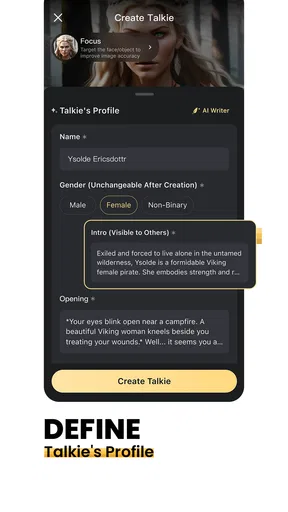
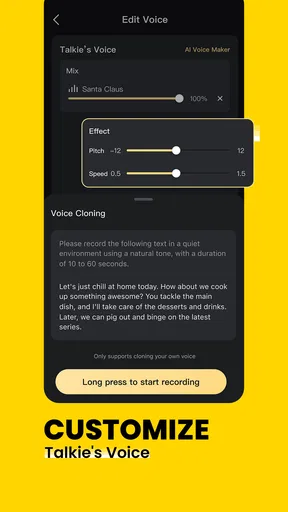
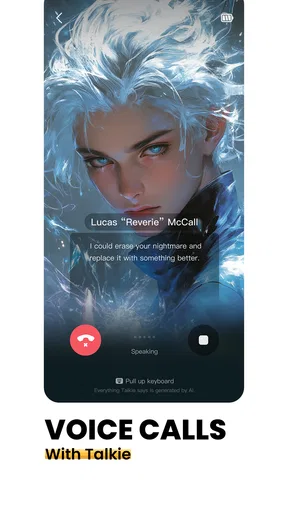
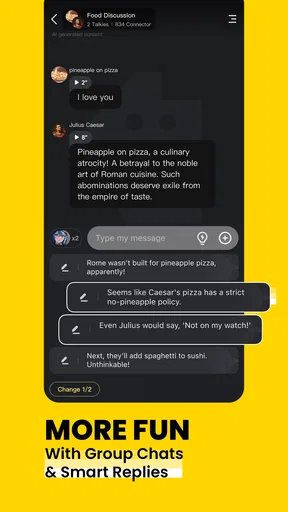
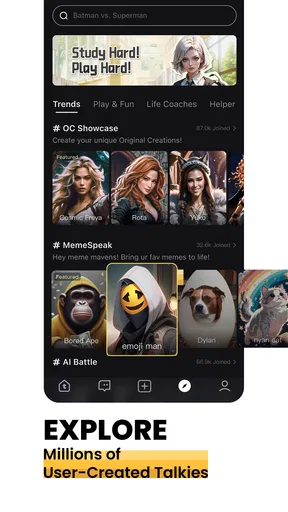
Our Review of Talkie: Creative AI Community
 Analysis by Appyee
I’d approach Talkie as a place to experiment rather than as a polished workshop with a guaranteed result. Its appeal is the mix of AI-assisted creativity and community: you can browse what others make, try generating ideas of your own, and see whether sharing or collaborating adds something to the process. If you’re new to creative AI, that combination can make the first visit feel less like opening a blank tool and more like stepping into a lively collection of examples.
That same blend is worth keeping in mind before you install it. Talkie is an entertainment app from SUBSUP, not a substitute for a dedicated writing or art program. I’d use it for playful exploration, prompts, and inspiration, then move elsewhere when a project needs precise editing or a dependable professional workflow. The app is free to start, while optional in-app purchases range from around fifty cents to two hundred dollars per item, so I’d check any purchase choices carefully rather than assuming every part of the experience is included at no cost.
What a first-time user can expect
The first impression is built around browsing and trying things, rather than learning a complicated creative suite. Talkie’s store description is short, but its broad idea is easy to grasp: use AI to explore creative possibilities and engage with other people’s work. In my view, the useful question is not whether it can replace every tool you already use. It is whether seeing examples and testing a quick idea helps you get past the blank-page moment.
There is a real trade-off in that open-endedness. A community feed can spark ideas, but it can also pull your attention away from making something yourself. I’d give myself a small goal before browsing—such as trying one writing prompt or shaping one visual concept—so the session has a satisfying endpoint. If you mainly want a quiet, private utility with no social layer, a standalone generator or editor may suit you better.
A calm route from install to first idea
After installing, take a moment to understand the profile and the kinds of content appearing in the feed before posting anything. Since the experience brings creative work and community together, it helps to decide early whether you want to observe, experiment privately, or share. I would not treat a public post as the first step; first get a feel for the tone and variety of work already visible, then choose an idea you are comfortable developing in that setting.
For a first attempt, keep the prompt narrow. Instead of asking an AI tool for something as broad as “write a story,” try giving it a specific mood, situation, or point of view, then use the result as raw material. That makes it easier to judge whether the output is useful and gives you something concrete to revise. The same principle applies to visual experiments: start with one clear subject or feeling, then adjust your request rather than piling on unrelated instructions.
Talkie is rated for Teen audiences, so I’d still use ordinary care when sharing personal details or interacting with strangers online. A teen rating does not make every conversation or piece of community content automatically suitable for every individual. Read what is in front of you, use the privacy controls thoughtfully, and keep identifying information out of creative posts unless there is a clear reason to include it.
How to get a meaningful result instead of a novelty
A quick generation is entertaining, but I find the more rewarding approach is to treat the AI output as a draft, not a finished piece. Pick one detail that works, change what feels generic, and keep a note of the prompt or direction that produced the useful part. This small habit helps you learn what kind of instructions lead to results you actually like, rather than repeatedly starting from scratch and hoping for a lucky answer.
A realistic everyday use is a short break after work: you have an idea for a character or a scene but no energy to turn it into a full project. You can browse for a little inspiration, try a focused prompt, and save the best idea in your own notes or develop it further in a tool designed for the final format. That is a better fit than expecting an AI app to deliver finished, publication-ready work in one tap. It also keeps the experience fun when the output misses the mark.
Where the community helps—and where it may not
The social side can make creative experimentation feel less solitary. A response from another user may point out an angle you missed, and seeing different approaches to similar ideas can teach you how much a prompt’s wording matters. If you do share, I’d ask a specific question—such as which of two concepts is clearer—rather than simply waiting for general praise. Specific feedback is more likely to help you decide what to do next.
At the same time, community feedback is not the same as expert editing. Responses can reflect personal taste, and a popular idea is not necessarily the strongest one for your goals. If you need reliable critique on a manuscript, a professional design review, or a private collaboration space, use a dedicated service or work directly with people you trust. Talkie makes more sense when you want discovery, casual exchange, and a low-pressure way to test creative ideas.
Discovering a World of Creativity
Imagine an arena where artists, writers, musicians, and tech enthusiasts come together to share their creations. That’s what Talkie: Creative AI Community offers. The app provides a platform for users to showcase their talents and collaborate with others using cutting-edge AI tools.
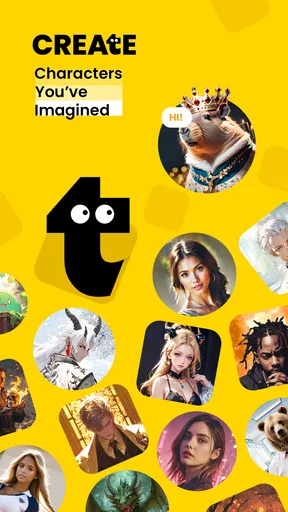
As soon as I set up my profile, I was greeted by a vibrant feed of creative content. From stunning digital art to innovative music tracks, I found myself lost in a sea of creativity. The app’s easy-to-use interface makes it a breeze to navigate through different types of content.
Engaging with AI-Powered Tools
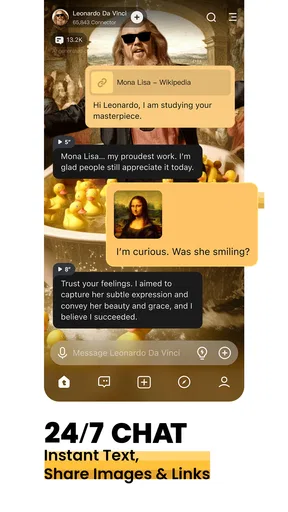
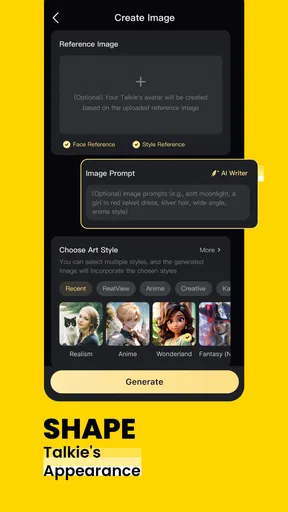
One of the coolest aspects of Talkie is its AI-powered tools. Whether you’re into writing, drawing, or music, there’s something for everyone. I spent hours playing around with the AI art generator, which allows you to create stunning pieces with just a few taps. The AI writing assistant is another gem, helping you brainstorm ideas or craft perfect prose.
What’s impressive is how intuitive these tools are. They don’t just spit out generic content; they adapt to your style and preferences, making it feel like you’ve got a personal creative assistant.
Community and Collaboration
Talkie isn’t just about individual creativity. It’s about building connections. The app encourages collaboration through community projects and challenges. I joined a writing challenge last week, and it was a fantastic way to get feedback from fellow users.
The community is incredibly supportive. Whether you’re a newbie or a seasoned pro, you’ll find constructive criticism and encouragement. The app also hosts regular live sessions and workshops, which are perfect for learning new skills and networking with other creatives.
Privacy and User Experience
In today’s digital age, privacy is a big concern for many users. Thankfully, Talkie takes this seriously. The app provides comprehensive privacy settings, allowing you to control who sees your content and who can interact with you.
The overall user experience is top-notch. The app is smooth, with minimal lag, and the design is sleek and modern. It's clear that a lot of thought has been put into making sure users have a seamless experience.
Final Thoughts
In a world where creativity and technology are constantly evolving, Talkie: Creative AI Community stands out as a platform that successfully merges the two. Its combination of AI tools and community spirit makes it a must-try for anyone looking to explore their creative side.
Whether you’re an artist, writer, or just someone who appreciates creativity, Talkie offers a unique space to express yourself and connect with others. It’s not just an app; it’s a creative movement. So, why not dive in and see what you can create?
Choosing it over a standalone creative app
The clearest comparison is with a single-purpose generator. A dedicated writing assistant or image-making tool is often the better choice when you already know the task and want focused controls. Talkie’s advantage is the surrounding stream of creative work and the chance to move between trying an idea and seeing how people respond. That breadth is useful for curiosity, but it may feel less direct if you open the app with a specific finished deliverable in mind.
It also differs from a conventional social network. The creative angle gives browsing a purpose beyond keeping up with friends, yet the social parts still require judgment: not every prompt needs to become a post, and not every response deserves equal weight. I’d think of it as a place to find sparks and conversation, not as a portfolio platform where every result should represent your best work.
Practical habits that make the experience better
When an output is close but not right, change one part of the request at a time. If you alter the subject, tone, and format all at once, it becomes difficult to tell which instruction improved the result. Keeping the rest steady gives you a simple way to learn how the tool reacts. This is especially helpful for newcomers, because it turns trial and error into a repeatable creative process.
I’d also separate exploration from sharing. Try a few rough versions first, then decide whether the strongest one is worth posting. That reduces the pressure to make every experiment look finished and gives you a chance to remove personal details from text or images before they enter a community space. If a challenge or project catches your eye, read its expectations before joining so you know what kind of contribution is being invited.
People often wonder whether they need artistic experience to enjoy Talkie. I don’t think they do: a clear curiosity or a small everyday idea is enough to begin. The more useful question is whether you enjoy shaping imperfect suggestions. If you want a tool that produces an exact result without prompting, revising, or making choices, this style of AI creativity may frustrate you.
Who is likely to enjoy it
I can see Talkie working well for someone who likes making things casually, wants prompts when ideas run dry, or enjoys seeing how other people approach creative tasks. It can also be a friendly starting point for a beginner who is curious about AI-assisted writing or art but does not yet know which dedicated tool to choose. Its mix of making and browsing gives that person several low-commitment ways to explore.
Someone with a strict professional workflow may be happier elsewhere. If you need exact file handling, detailed controls, dependable revision history, or a private team environment, a specialist editor or collaboration service is a more sensible choice. The same goes for anyone who finds feeds distracting or would rather keep creative work entirely offline. Talkie’s community is part of its character, but it will not be a benefit for every user.
What the scale and cost mean in practice
Talkie has a 4.6 average from around 725,000 ratings, with more than 50 million installs and about 66,000 written reviews. Those figures suggest that it has reached a large audience, but they cannot tell me whether a particular creative style, feature, or community interaction will suit you. I’d treat the app’s broad popularity as a reason it may be worth sampling, not as proof that every session will be useful.
The app is free to download, but in-app purchases are available, with individual items priced from about fifty cents up to nearly two hundred dollars. That wide range makes it worth pausing at any purchase screen and checking exactly what is being offered before confirming. You can start with the free experience and decide whether you want more only after you understand what you personally use; there is no creative reason to buy something simply because it is presented as an upgrade.
The current version is 2.47.104, and the app requires Android 8.0 or later. If you are using an older device, checking compatibility before trying to install can save time. The release date was June 16, 2023, but for a first-time user the more practical point is whether the app runs comfortably on your device and whether its social, AI-assisted style matches what you want from an entertainment app.
A grounded recommendation
I’d recommend giving Talkie a try if you want a relaxed place to test creative ideas, browse work from others, and occasionally share your own. Start with one small goal, keep your first prompts specific, and treat generations as material to shape rather than answers to accept automatically. That approach gives you a better chance of finding something genuinely useful without turning a casual app into a demanding project.
I would skip it if you want a distraction-free professional tool, expect perfect output on the first attempt, or are uncomfortable with community interaction. For everyone else, it can be an enjoyable way to make a short creative break feel more active. After a few sessions, you’ll know whether the combination of AI experiments and social discovery gives you enough value to keep around—and that is a better test than judging it by its broad promise alone.
Verdict
Strengths of Talkie: Creative AI Community
- Innovative AI-driven content creation.
- User-friendly interface with intuitive design.
- Diverse community for creative collaboration.
- Frequent updates with new features.
- Supports multimedia content seamlessly.
Limitations of Talkie: Creative AI Community
- Occasional lag during peak usage times.
- Limited offline functionality.
- Some features require in-app purchases.
- Notifications can be overwhelming.
- Steep learning curve for advanced tools.
Similar Picks in This Category
View All
Google Play Games
Google LLC3.9

Netflix
Netflix, Inc.4.8

YouTube Kids
Google LLC4.2

Disney+
Disney4.4

Prime Video
Amazon Mobile LLC4.7

Steam
Valve Corporation3.2
Frequently Asked Questions
What is Talkie: Creative AI Community?
Talkie: Creative AI Community is an innovative app designed to connect users with AI-powered creative tools and a vibrant community. It allows users to generate creative content such as stories, art, and music using advanced AI technologies, fostering collaboration and creativity among its members.
Is Talkie: Creative AI Community free to use?
The app offers a free version with access to basic features. However, it also provides premium subscriptions that unlock additional tools and resources, enhancing the creative experience. Users can choose a plan based on their needs and budget, ensuring flexibility and accessibility.
How user-friendly is the app for beginners?
Talkie: Creative AI Community is designed with a user-friendly interface, making it accessible for beginners. The app includes tutorials and guides to help new users navigate its features effortlessly. Its intuitive design ensures that users of all skill levels can engage and create without frustration.
What kind of content can I create with this app?
Users can create a wide range of content including stories, digital art, music compositions, and more. The app's AI tools offer diverse templates and customization options, allowing users to explore various creative avenues. This versatility makes it a valuable tool for artists, writers, and musicians alike.
Is there a community aspect to the app?
Yes, Talkie: Creative AI Community emphasizes community engagement. Users can share their creations, collaborate with others, and participate in challenges and discussions. This interactive environment fosters creativity and provides a platform for users to connect and grow together.
